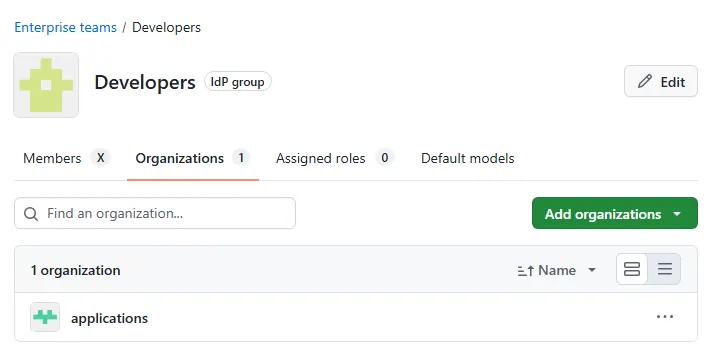
Your enterprise teams are populated now. Users flow in from Entra, membership stays in sync, nobody has to remember to add or remove anyone by hand. Job done, right?
Not quite. A team sitting at the enterprise level doesn’t actually do anything on its own. It’s not until you attach it to an org that it starts being useful.
What enterprise teams are, and where they sit
Quick recap from Part 1, because it’s worth being clear on this before going further. An org team lives inside a single org, and only that org’s members can be in it. An enterprise team lives one level up, at the enterprise, and can be attached to more than one org at once.
That’s the whole point of doing it this way. Define the team once, populate it from Entra, then reuse it across however many orgs actually need it. No re-creating the same group of people three different times because you’ve got three different orgs.
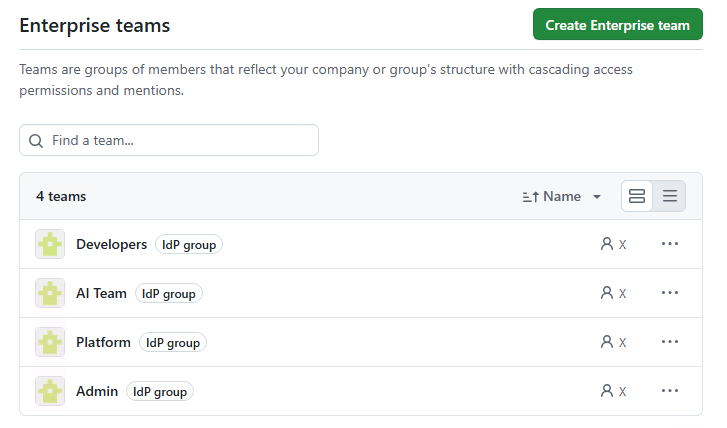
Assigning a team to an org
This is the actual point of this post. Now we have our teams we can setup their access to an organisation. To do this, we edit the team at an enterprise level and assign it to an organisation. This is the step that actually makes the team useful, because it gives its members whatever access the team has been granted inside that org.
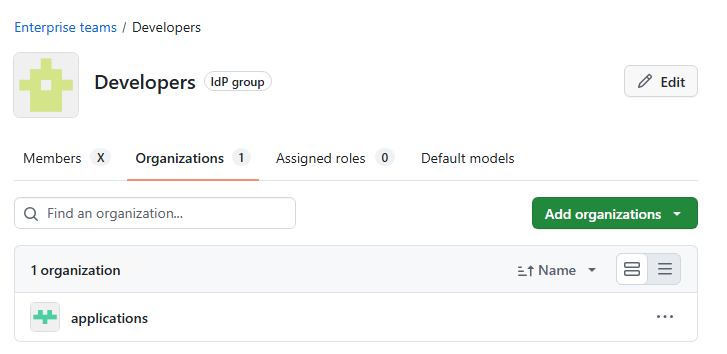
Worth doing this deliberately rather than attaching a team to every org “just in case.” It’s also worth calling out, once you decide to do it this way, make sure all your access is done this way. The moment you start just “quickly adding someone” direct to an org you break the model you’ve just set up. Keeping it tight and consistent is the only way to make this work at scale.
What team membership actually grants once assigned
Once a team is attached to an org, its members get whatever access the team’s been given inside that org. It’s worth at this point deciding what your base access levels will be on the organisations as this will apply to everyone that is granted access via the enterprise team link.
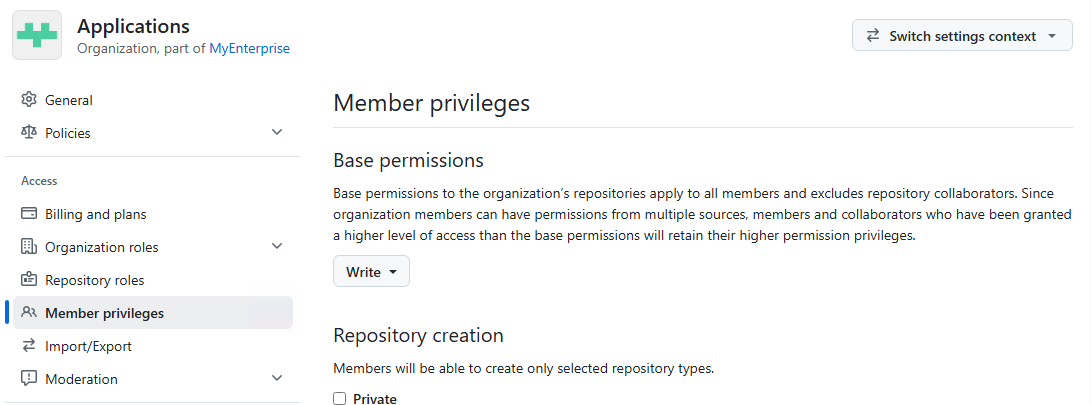
This is where you can diverge a bit in setting elevated rights to an individual in an organisation, something worth keeping track of. How far you push that base level is its own conversation though, we’ll get into it properly in a future post on permissions and CODEOWNERS.
What it doesn’t do on its own is give anyone a Copilot licence. That’s a separate step, at a different level, and it’s got its own gotcha attached, which is Part 3.
Closing thought
The team exists, it’s populated, and now it’s actually plugged into an org. That’s most of the plumbing done. What’s still missing is the bit people usually care about most: giving the people in that org access to Copilot. Turns out that’s not as simple as it sounds either.